
All jobs. All resources. One view.
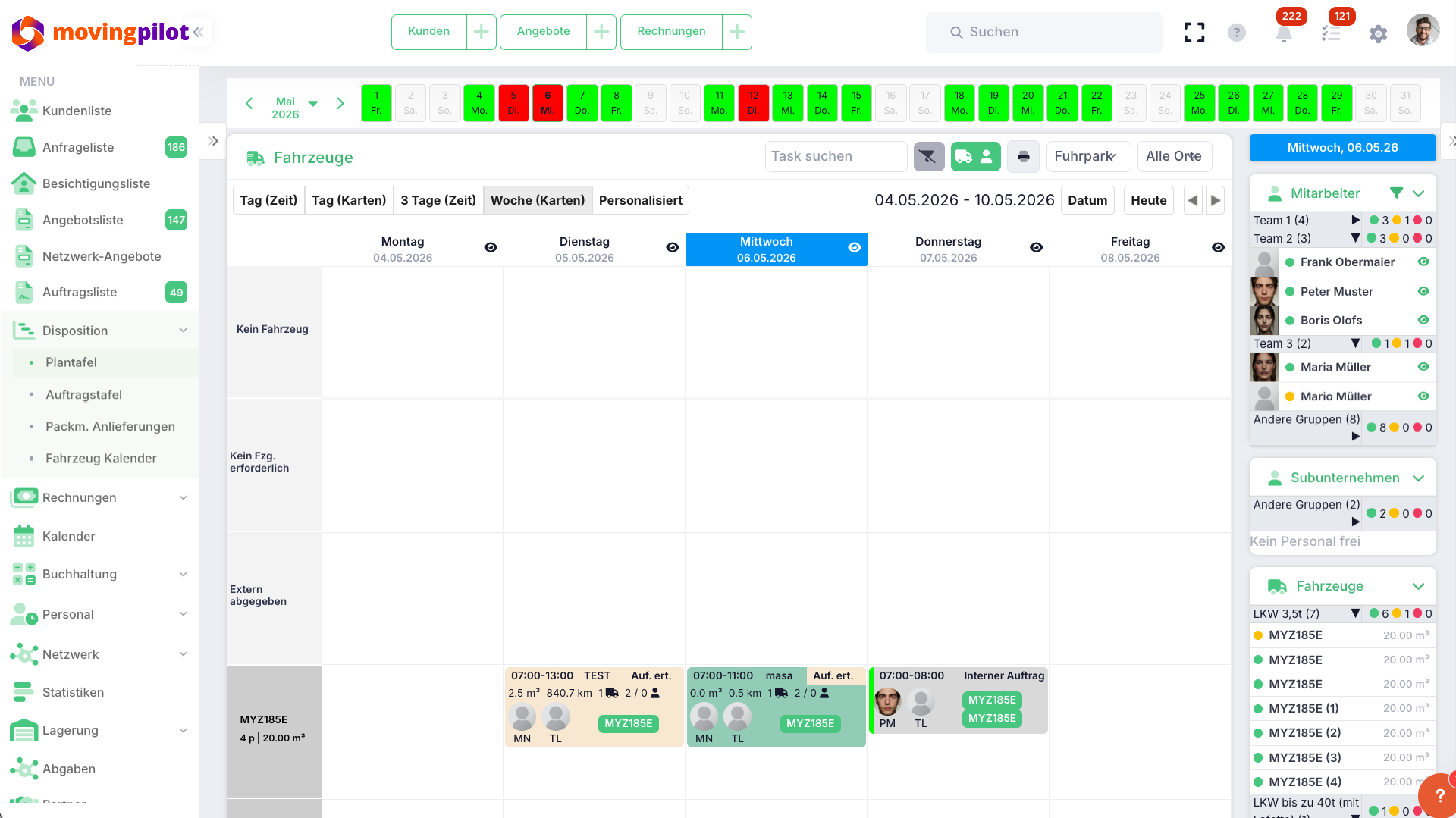
The digital planning board shows vehicles, staff and jobs at a glance. Drag-and-drop, utilization display and automatic warnings ensure your scheduling is fast, reliable and error-free.
Drag & Drop
Assign and move jobs - intuitive and fast
Real time
Everyone sees changes instantly - office and field teams
Active warnings
The system flags scheduling errors before they happen
What this means for you.
- You keep an overview: All jobs, vehicles and employees in one view
- You schedule faster: Replanned in seconds - no spreadsheets, no phone calls
- You avoid mistakes: Automatic warnings for double bookings or overload
- You plan ahead: You instantly see where capacity remains - and react before things get tight
- You save on communication effort: Changes are instantly visible to everyone - no more phone calls
A result in just a few steps.
- 1Create a jobFrom a quote or directly in scheduling
- 2Assign resourcesAssign vehicle and team via drag-and-drop
- 3Make changesMove, swap, add - in seconds
- 4Team informedAll changes are synchronized instantly
Highlights of our moving software
Daily planning
Overview of all of today's jobs at a glance
Fleet planning
Which vehicle is where and when - always visible
Staff planning
Team utilization at a glance
Short-notice changes
Replan within seconds for cancellations or change requests
More features of our moving software
Scheduling & Planning
Flexible resource planning
Vehicles, teams and subcontractors in one overview - spot bottlenecks early, replan flexibly.
Learn more Scheduling & PlanningCentral job overview
Office and field teams work with the same up-to-date data - no follow-up questions, no misunderstandings.
Learn moreAll jobs. All resources. Under control every day.
Plan jobs and resources in one system.