
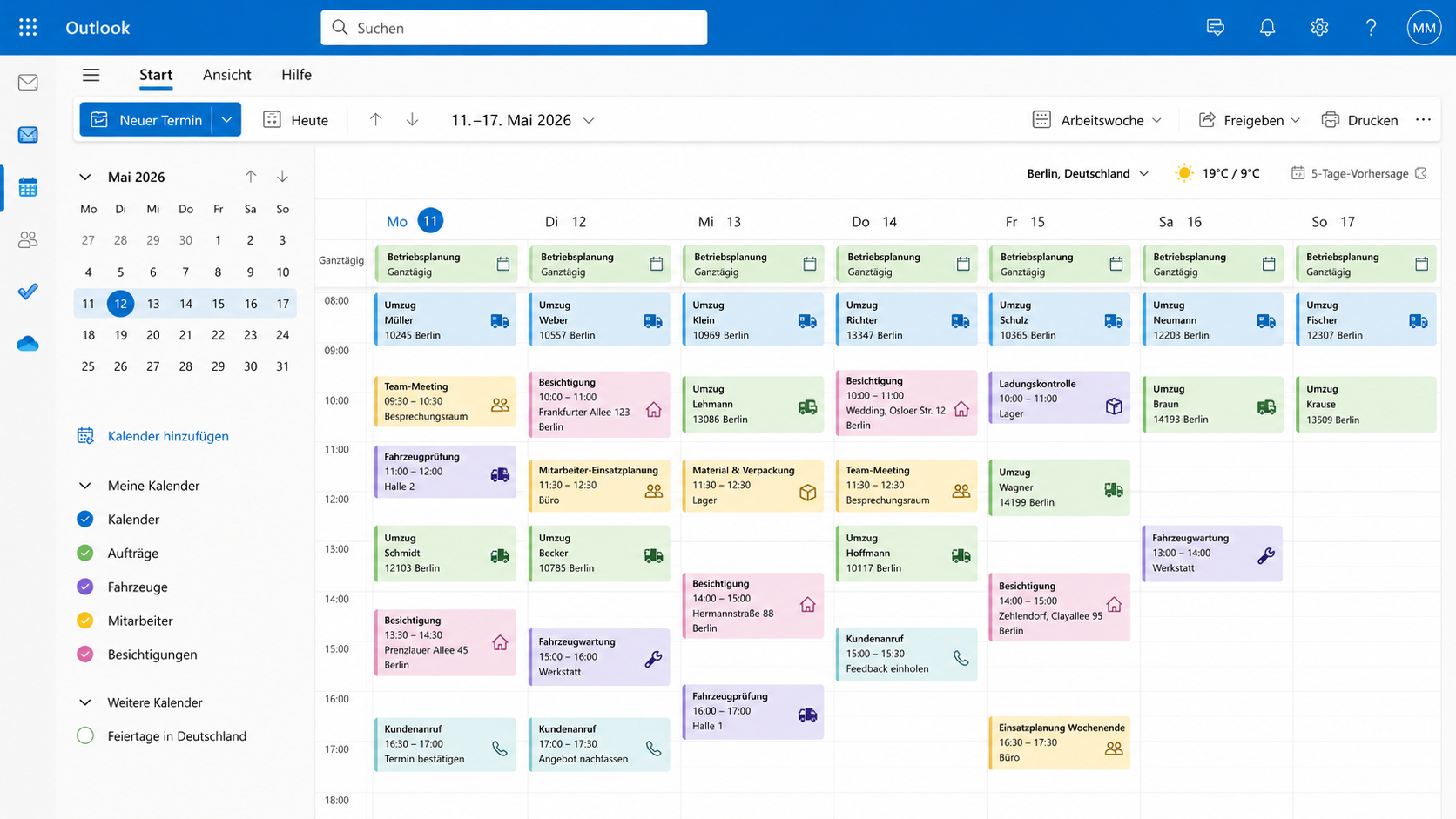
Your calendar is always the same - in the system and in Outlook.
Appointments land where your team already works. Choose Outlook as your calendar source, and every appointment is automatically synchronized both ways - whether it was created in the system or directly in Outlook.
Synced both ways
Appointments automatically reconcile in both directions
Freely selectable
System or Outlook - your choice
Shared or personal
One calendar for everyone or one per user
What this means for you.
- You avoid double scheduling: One entry is enough - the system and Outlook stay automatically identical
- You keep familiar workflows: Employees who already work with Outlook don't need to relearn anything
- You stay in control: Choose between one shared main calendar or individual calendars per user
- You see all appointments in one place: Multiple Outlook calendars appear as separate tabs, including a marker for read-only calendars
- You keep working on the go: Changes made in Outlook on a smartphone automatically appear in the system
- You get started effortlessly: Connect once - after that, synchronization runs in the background
A result in just a few steps.
- 1Connect OutlookAuthorize your Microsoft account once - no additional software required
- 2Select calendarsDecide which Outlook calendars should be synchronized
- 3Set the sync modeA shared main calendar for the team or personal calendars per user
- 4Create appointmentsWhether in the system or in Outlook - both sides pick up the change
- 5Automatic reconciliationNew, changed and deleted appointments are synchronized in the background
- 6Available everywhereAppointments look identical on desktop, web and smartphone
Highlights of our moving software
Two-way synchronization
Appointments from the system appear in Outlook - and vice versa, without manual effort
Shared team calendar
One central calendar for all appointments - everyone sees the same status
Personal calendars
Alternatively, a separate calendar per user - matching your existing structure
Multiple calendars in parallel
Moves, surveys, internal appointments - each calendar as its own tab
Marked as read-only
External calendars are clearly marked read-only - no accidental changes
Keep working on mobile
Changes made in the Outlook mobile app automatically appear in the system
More features of our moving software
Execution & Documentation
Digital workflow
Checklists and workflows digitally on the tablet - guided jobs, paperless documentation, available in real time.
Learn more Planning & SchedulingPlanning board
Plan and schedule jobs, staff and vehicles at a glance.
Learn more Planning & SchedulingResource planning
Assign vehicles, staff and materials without conflicts - matched to your appointments.
Learn more Order & ExecutionJob overview
All jobs at a glance with status, appointments and responsibilities.
Learn moreOne calendar. No double scheduling.
Connect Outlook and let both calendars stay automatically in sync.